
Questions
1. What is the first flag you receive after successfully detecting sample1.exe
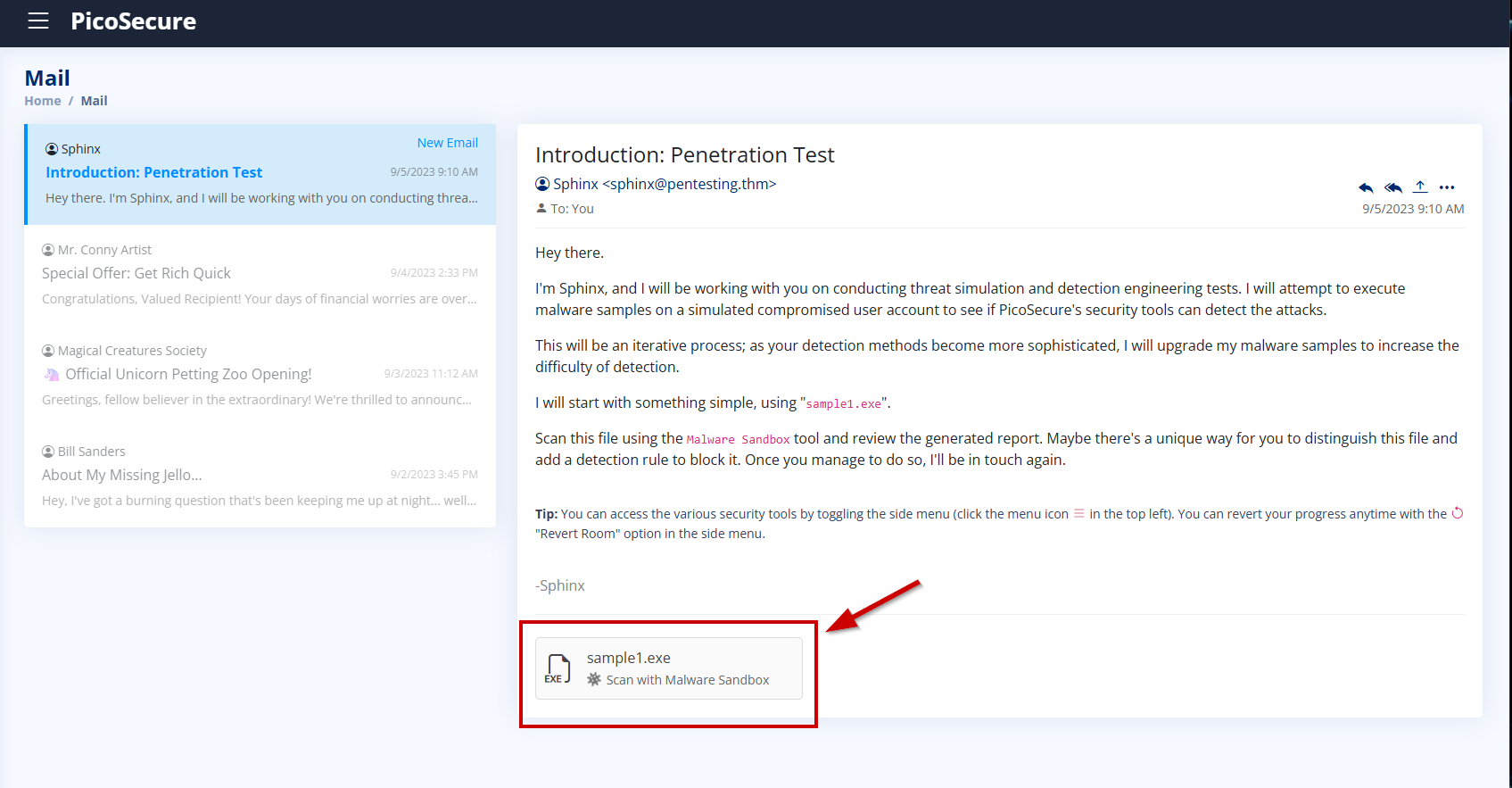
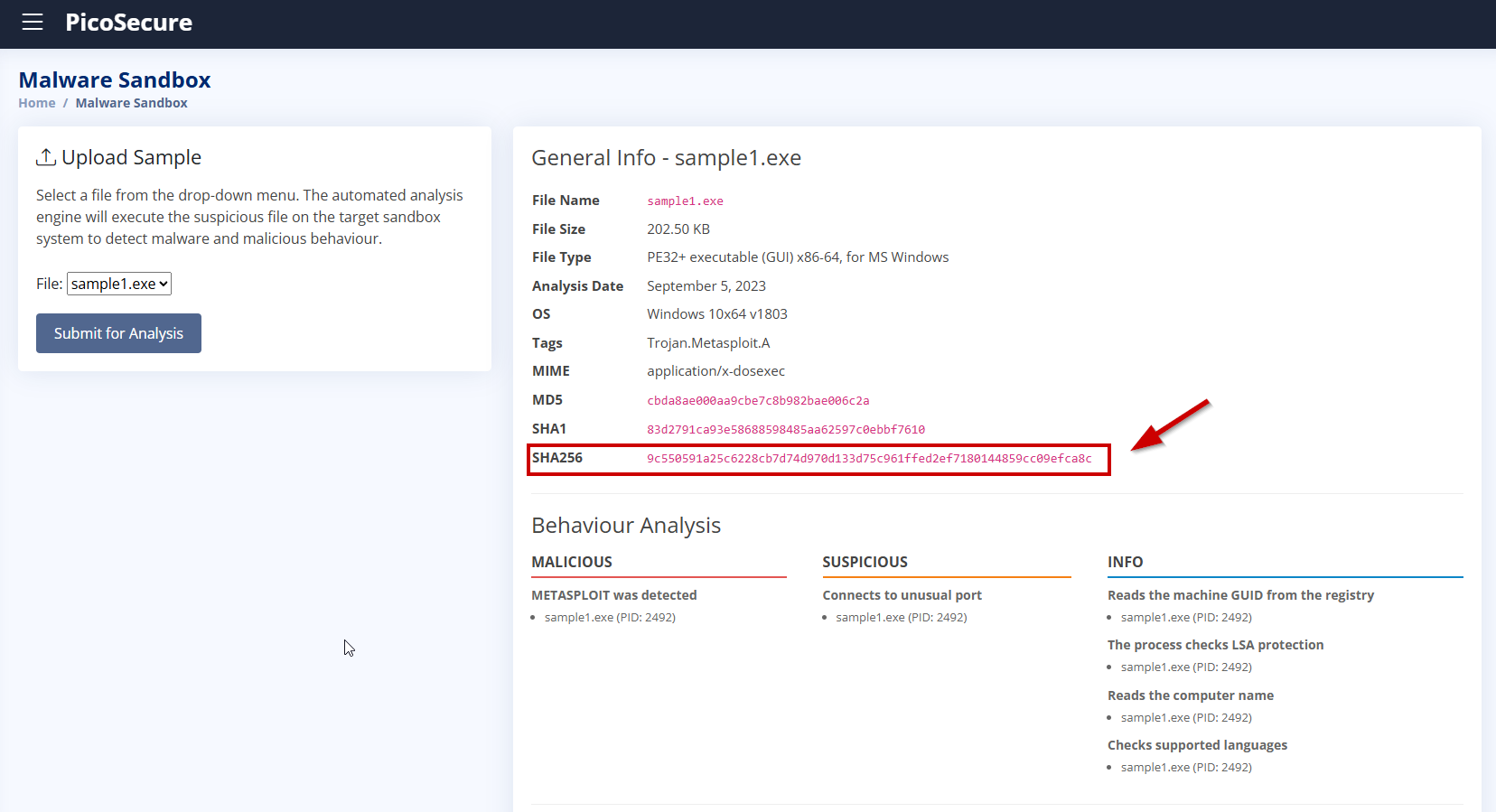
We start by clicking on the sample1.exe file and analyzing it using the Malware Sandbox tool to observe its behavior.
Since we don’t have any IP address, domain, or external IOC at this point, we can block the malware using its file hash.
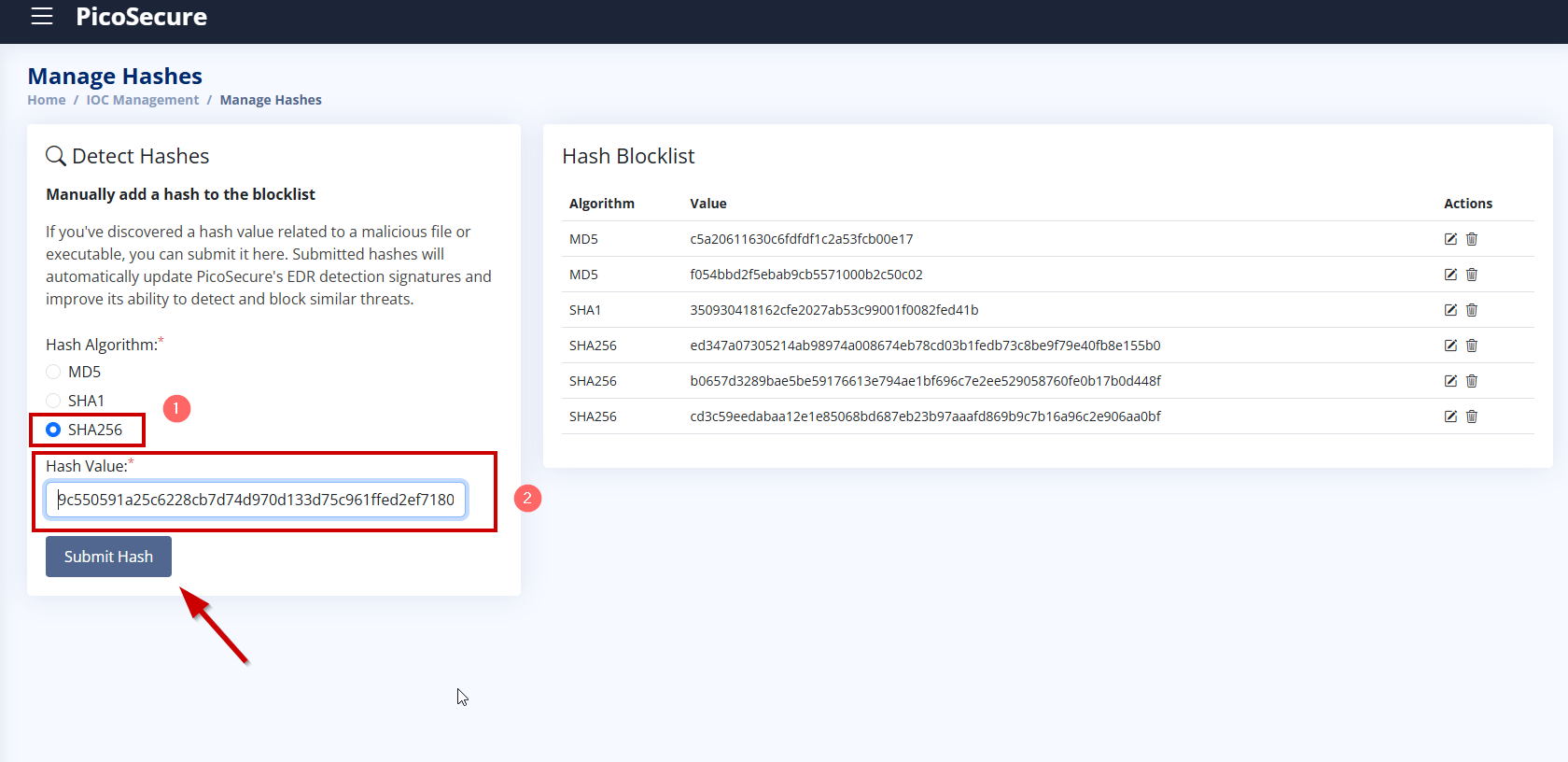
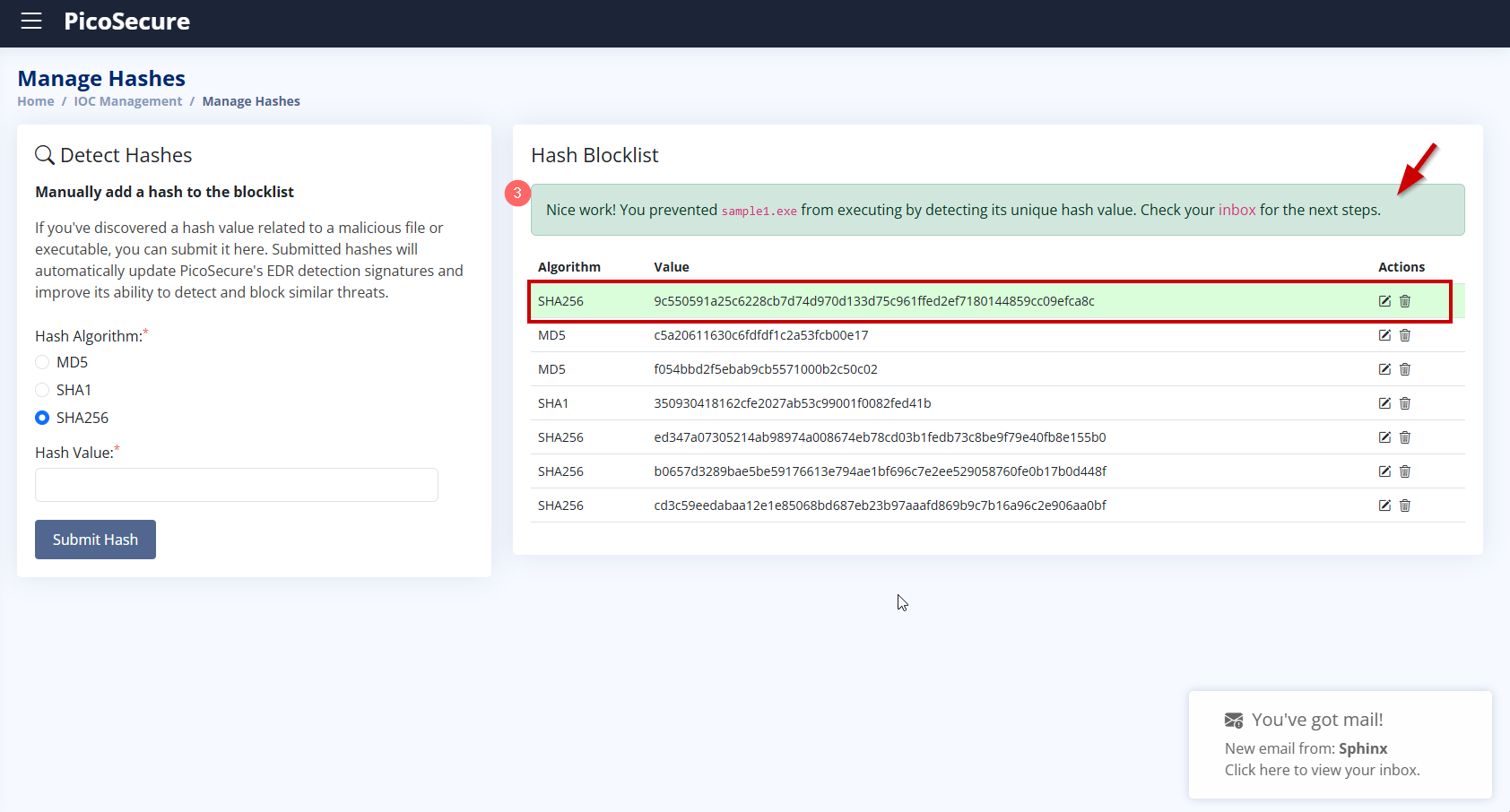
After adding the SHA256 hash of sample1.exe to the blocklist via Manage Hashes, the malware was successfully blocked. As a result, we received an email from Sphinx with the flag: This completes the first detection challenge and unlocks the next sample: sample2.exe.
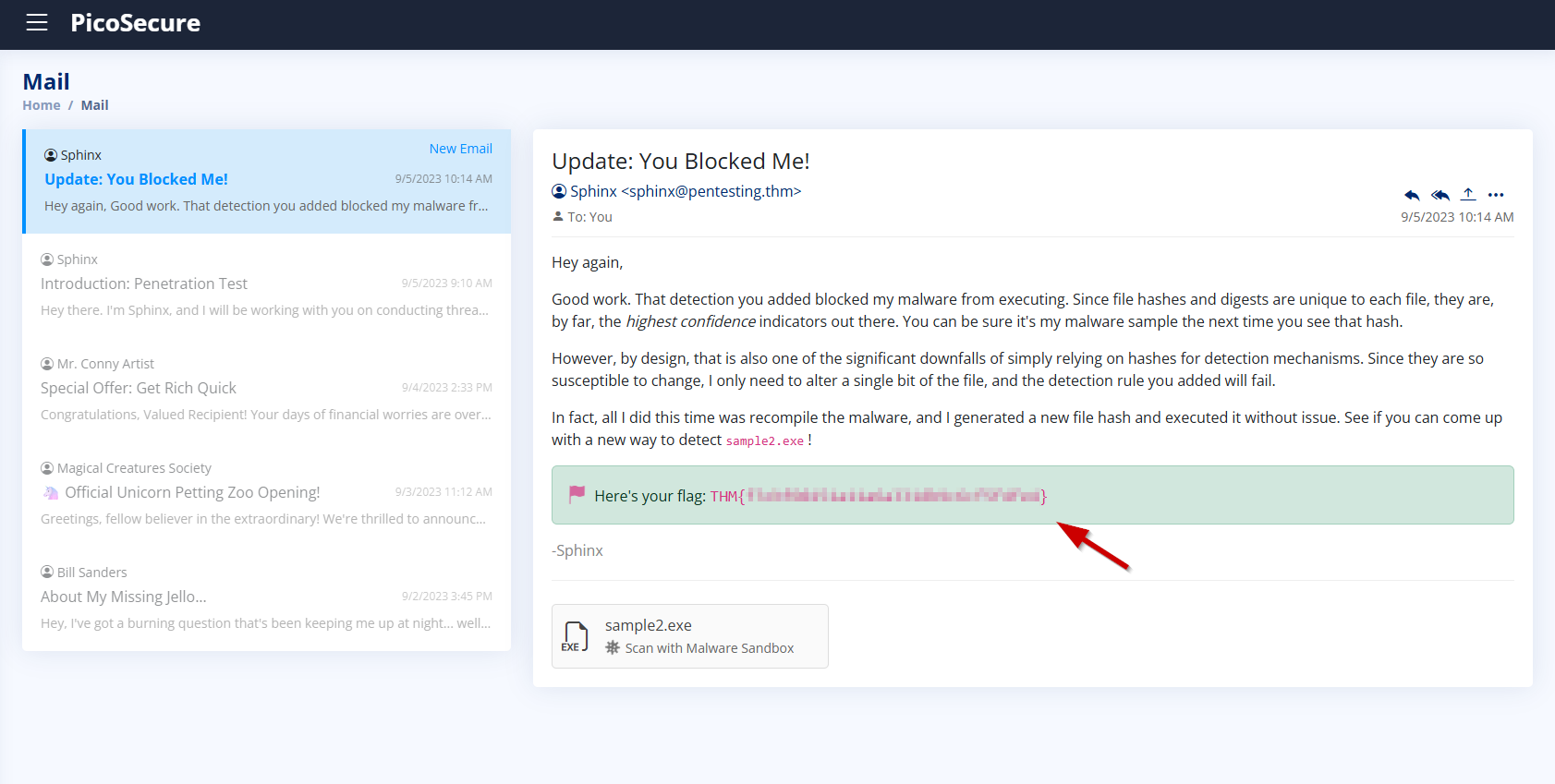
2. What is the second flag you receive after successfully detecting sample2.exe?
We analyze sample2.exe in the Malware Sandbox. Similar to the previous sample, this one is also tagged as Trojan.Metasploit.A.
Connects to unusual IP and port: http://154.35.10.113:4444/uvLk8YI323 connections total, including suspicious one to 154.35.10.113:4444
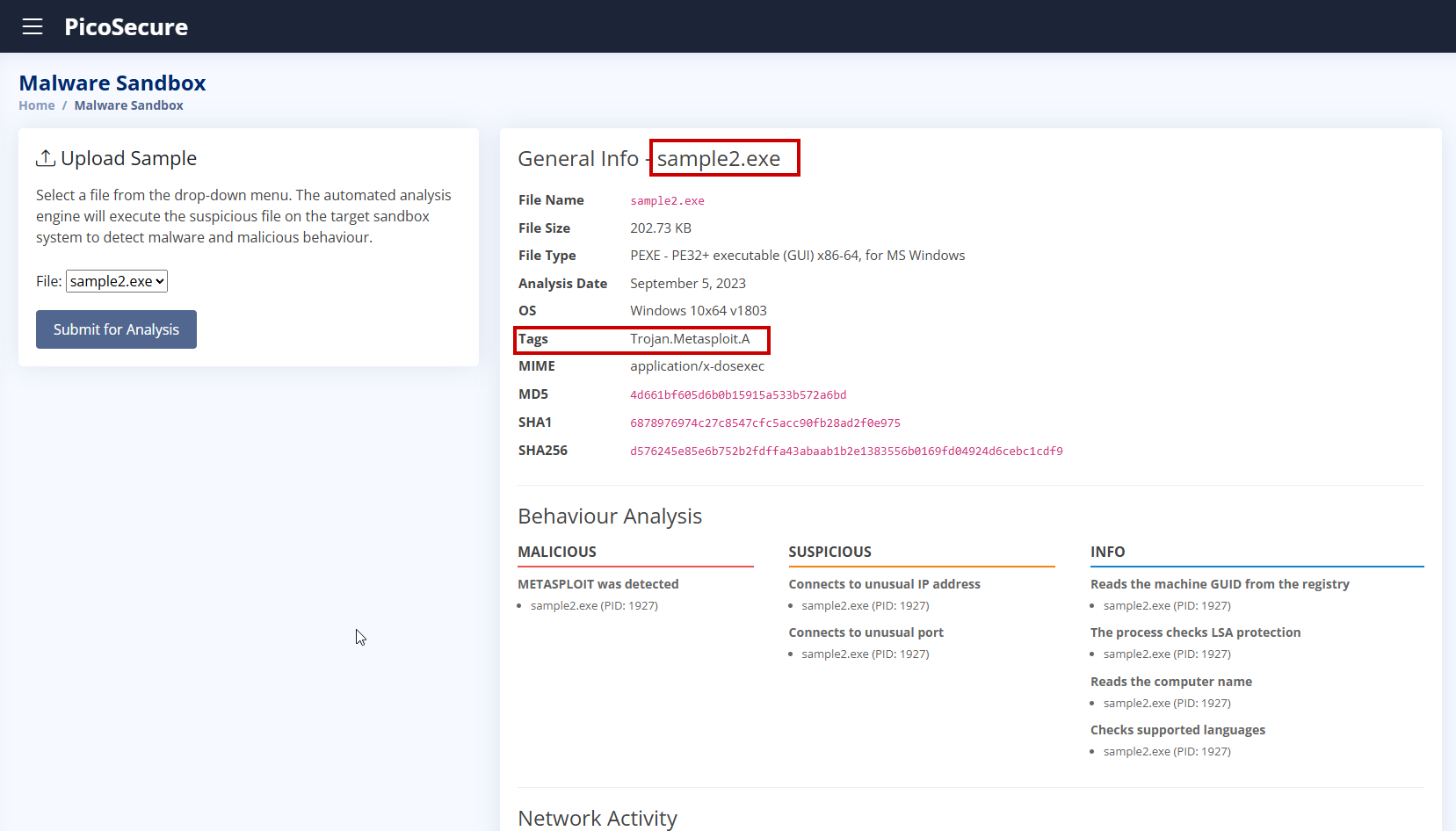
Unlike sample1.exe, this sample actively connects to a suspicious external IP address on port 4444, commonly used by Metasploit for reverse shell connections.
- Suspicious IP:
154.35.10.113 - Suspicious Port:
4444 - Suspicious URL:
http://154.35.10.113:4444/uvLk8YI32
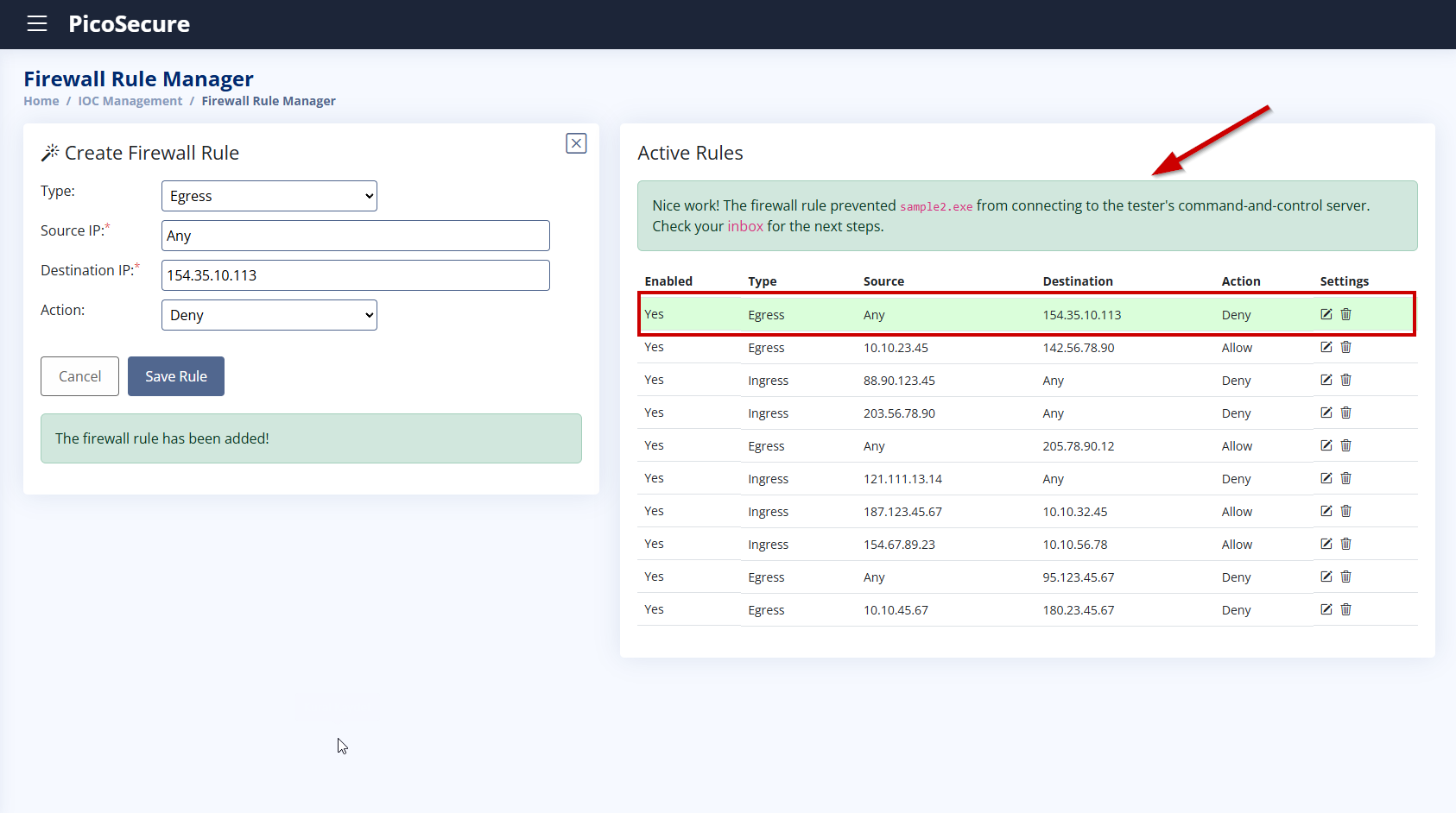
To prevent this type of external communication, we will create a firewall rule that blocks any incoming connections to 154.35.10.113.
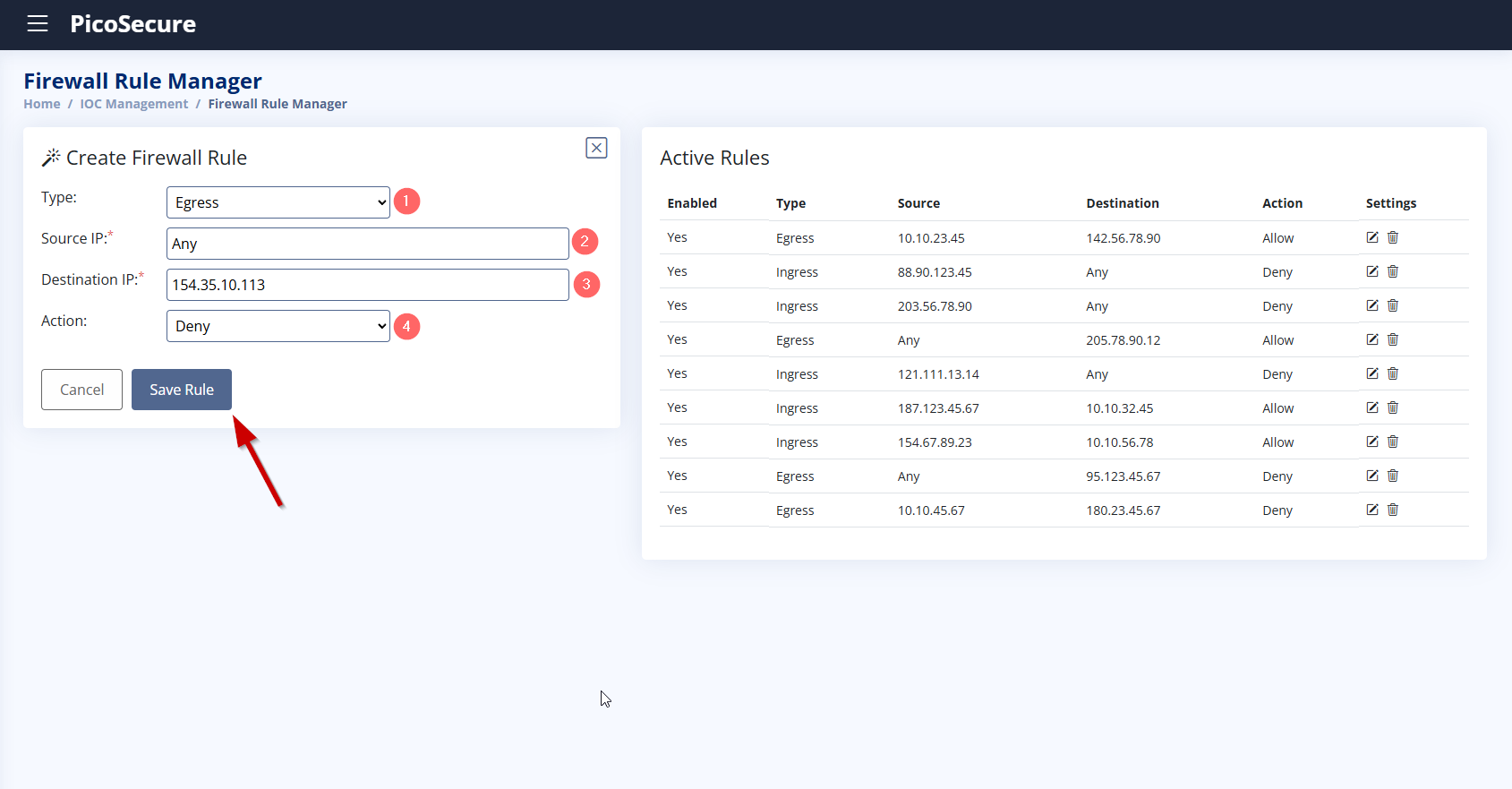
We selected Egress because the malware (sample2.exe) initiates an outbound connection to an external IP address (154.35.10.113) on port 4444. We chose “Any” as the source IP to ensure the rule applies to all possible internal processes or users. We do not know exactly which user or process might try to initiate the connection in future malware variants, so setting it to “Any” makes the rule more flexible and comprehensive. We entered this IP because the malware was observed making a connection to this address during the sandbox analysis.
This is likely a C2 server, and by blocking it, we prevent the malware from sending or receiving malicious instructions. We selected Deny to explicitly block any outbound traffic going to the specified IP address.
This ensures that the malware fails to communicate externally, which helps contain the threat.
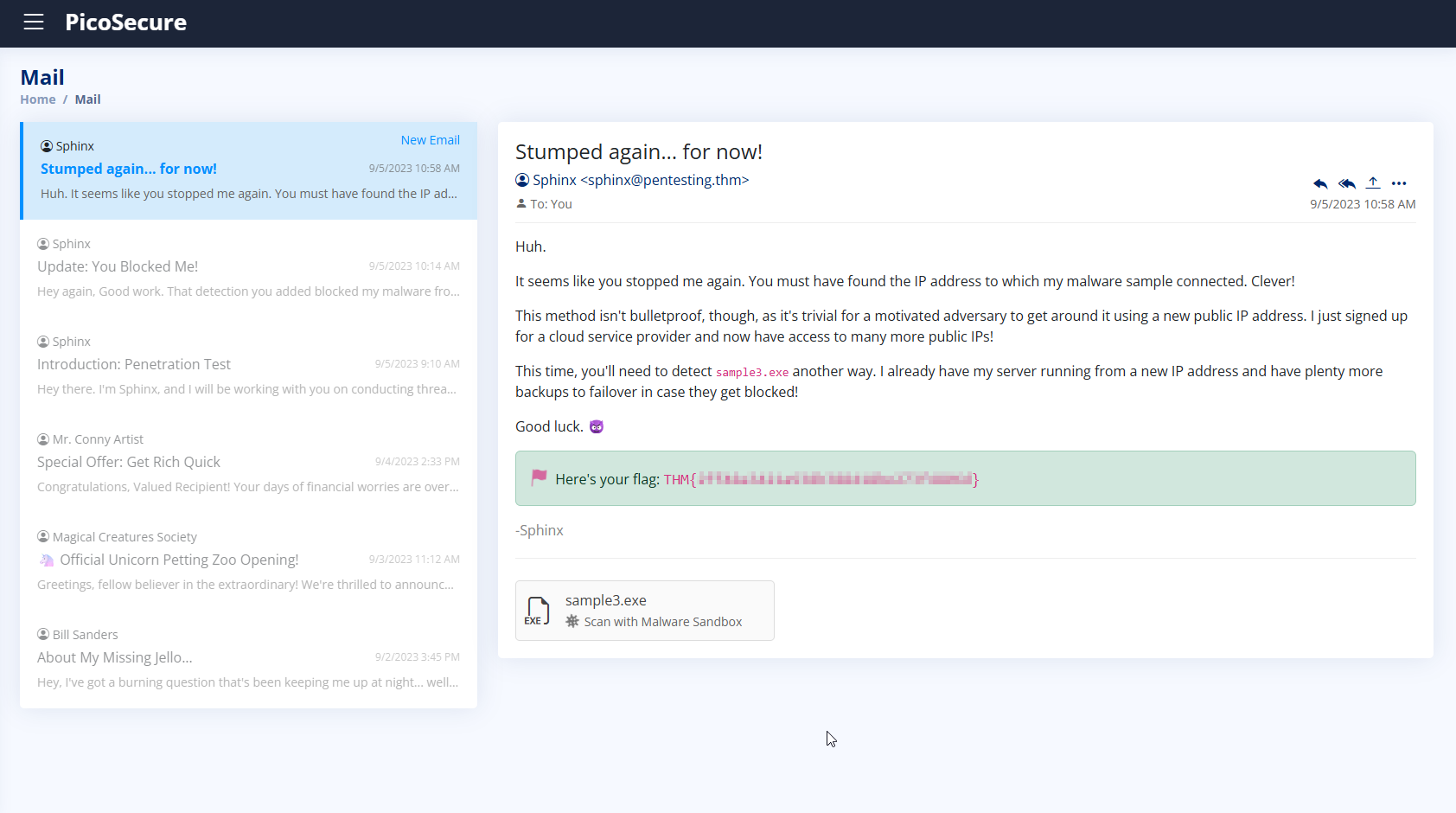
3. What is the third flag you receive after successfully detecting sample3.exe?
The malware sample3.exe attempts to download backdoor.exe from the domain emudyn.bresonicz.info.
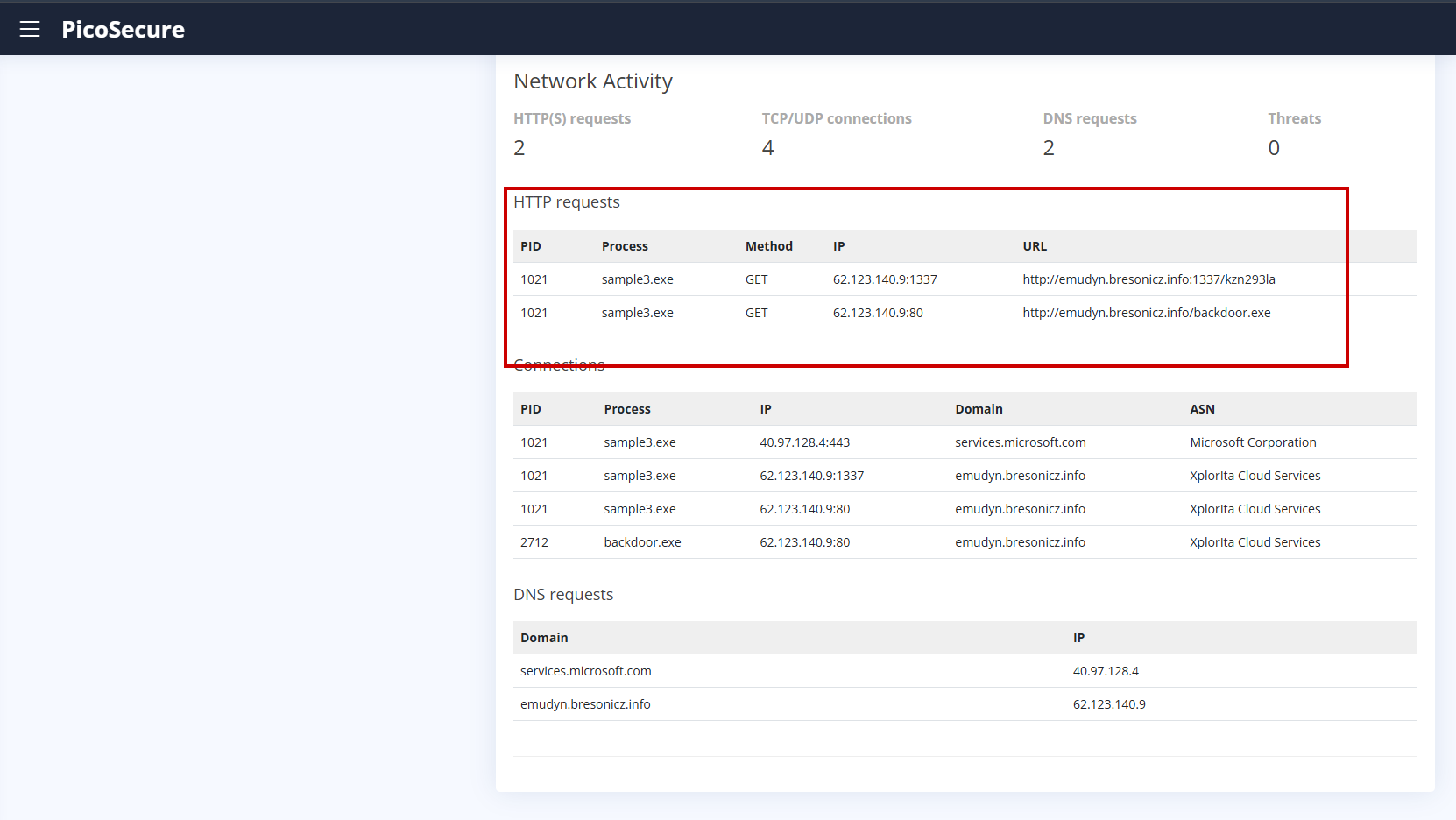
To prevent this behavior, we created a DNS rule under the DNS Rule Manager.
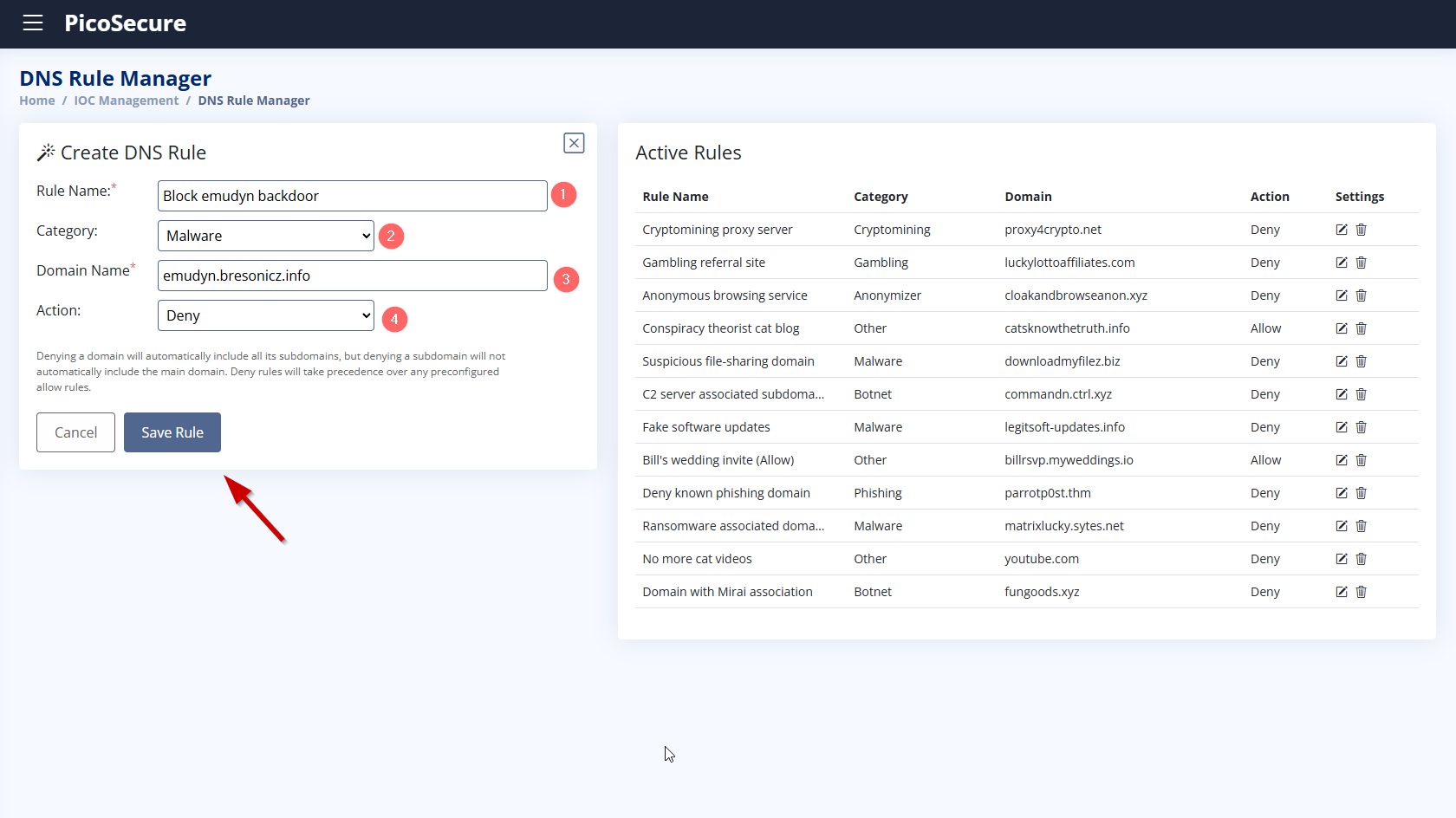
- Rule Name: Block_emudyn_backdoor
- Category: Malware
- Domain Name:
emudyn.bresonicz.info - Action: Deny
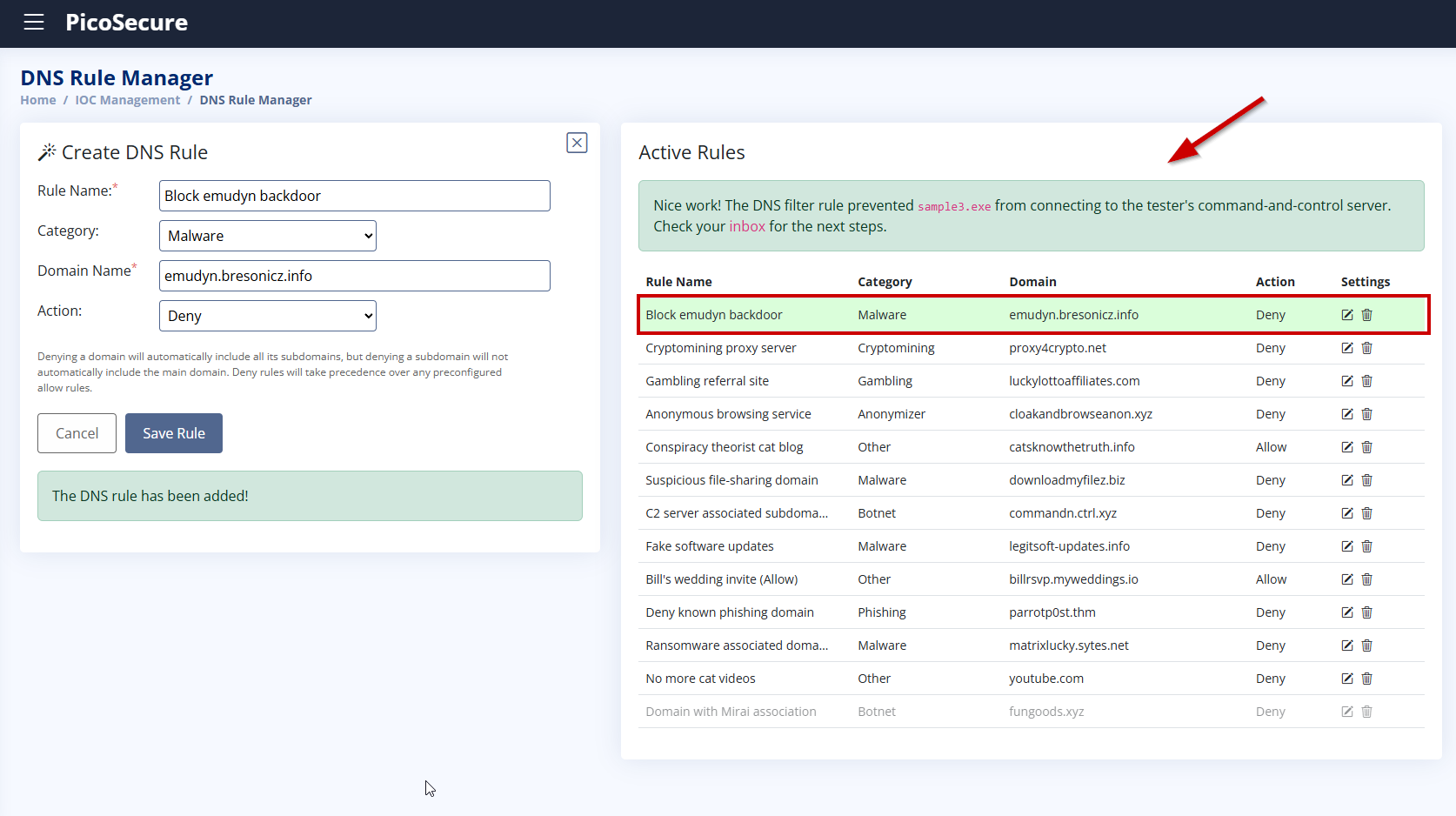
This rule blocks the resolution of the malicious domain, stopping the malware from downloading additional payloads. After saving the rule, the download fails and we receive the flag.
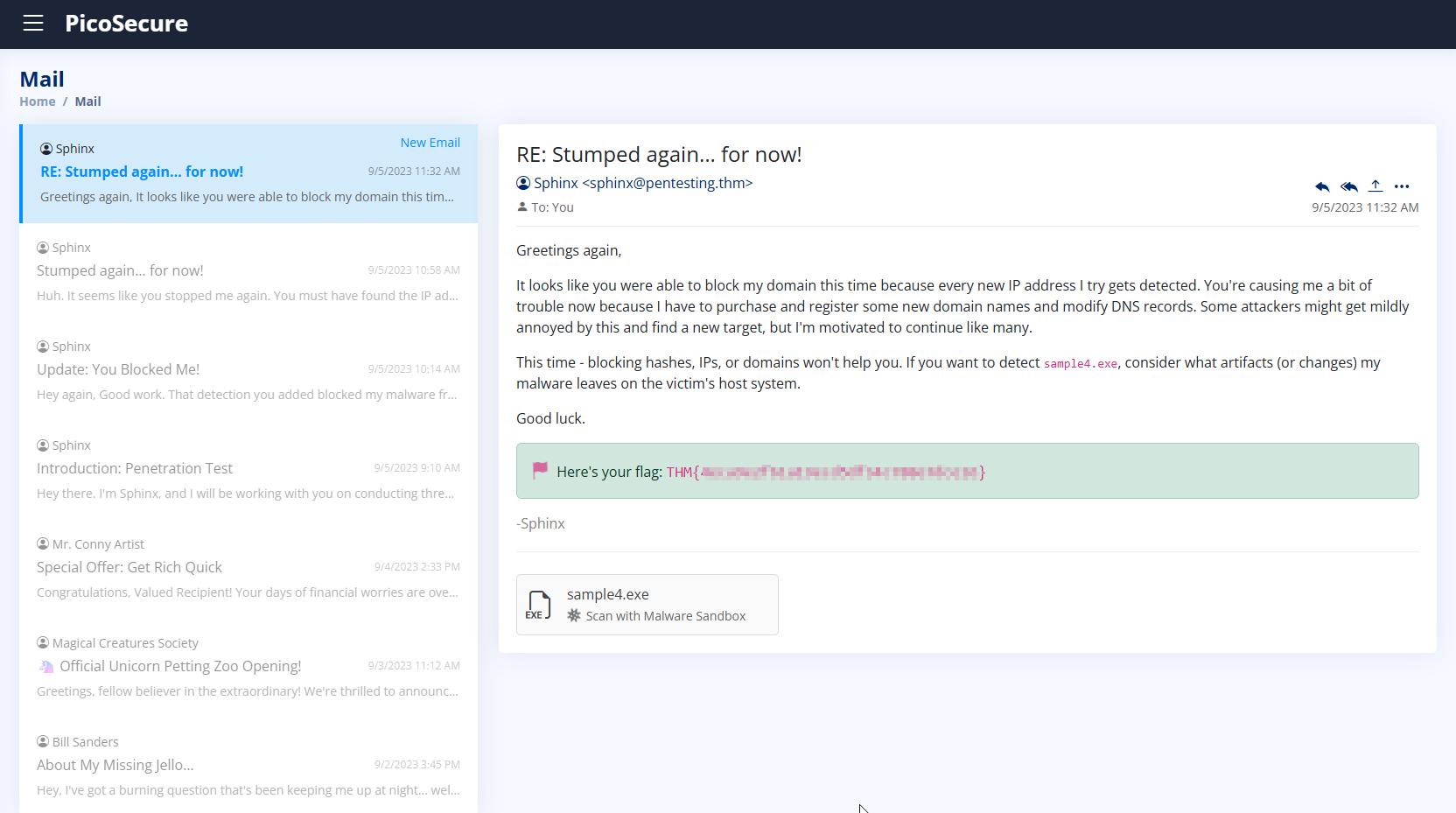
4. What is the fourth flag you receive after successfully detecting sample4.exe?
We scanned sample4.exe using the Malware Sandbox and observed several malicious behaviors:
- Disables Windows Defender real-time protection via registry changes
- Downloads and executes
backdoor.exefrom the domaincranes0ft.iniware.xyz - Connects to unusual IP and port:
102.23.20.118:1337 - Makes suspicious registry modifications
- Shows typical defense evasion and persistence patterns
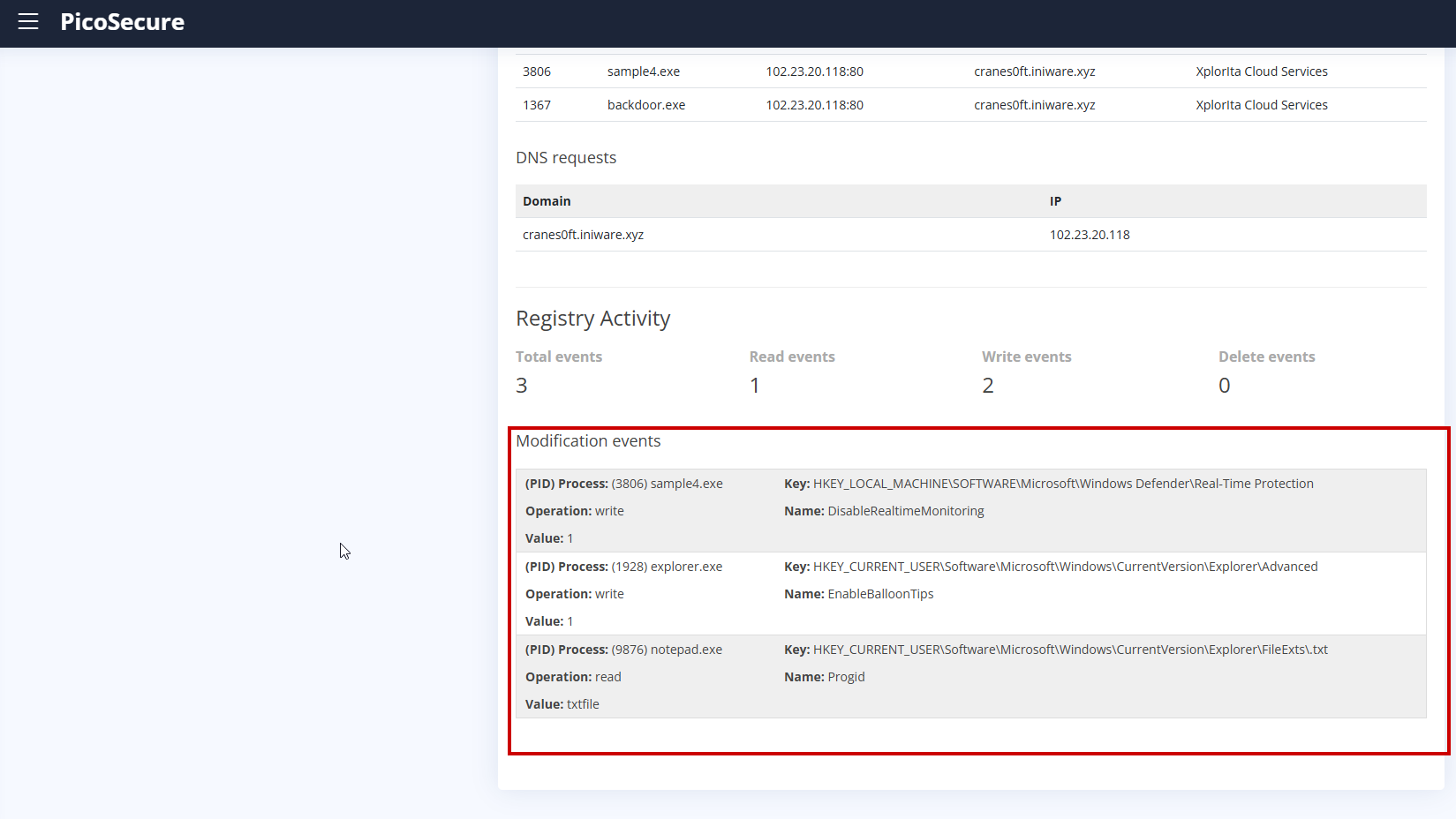
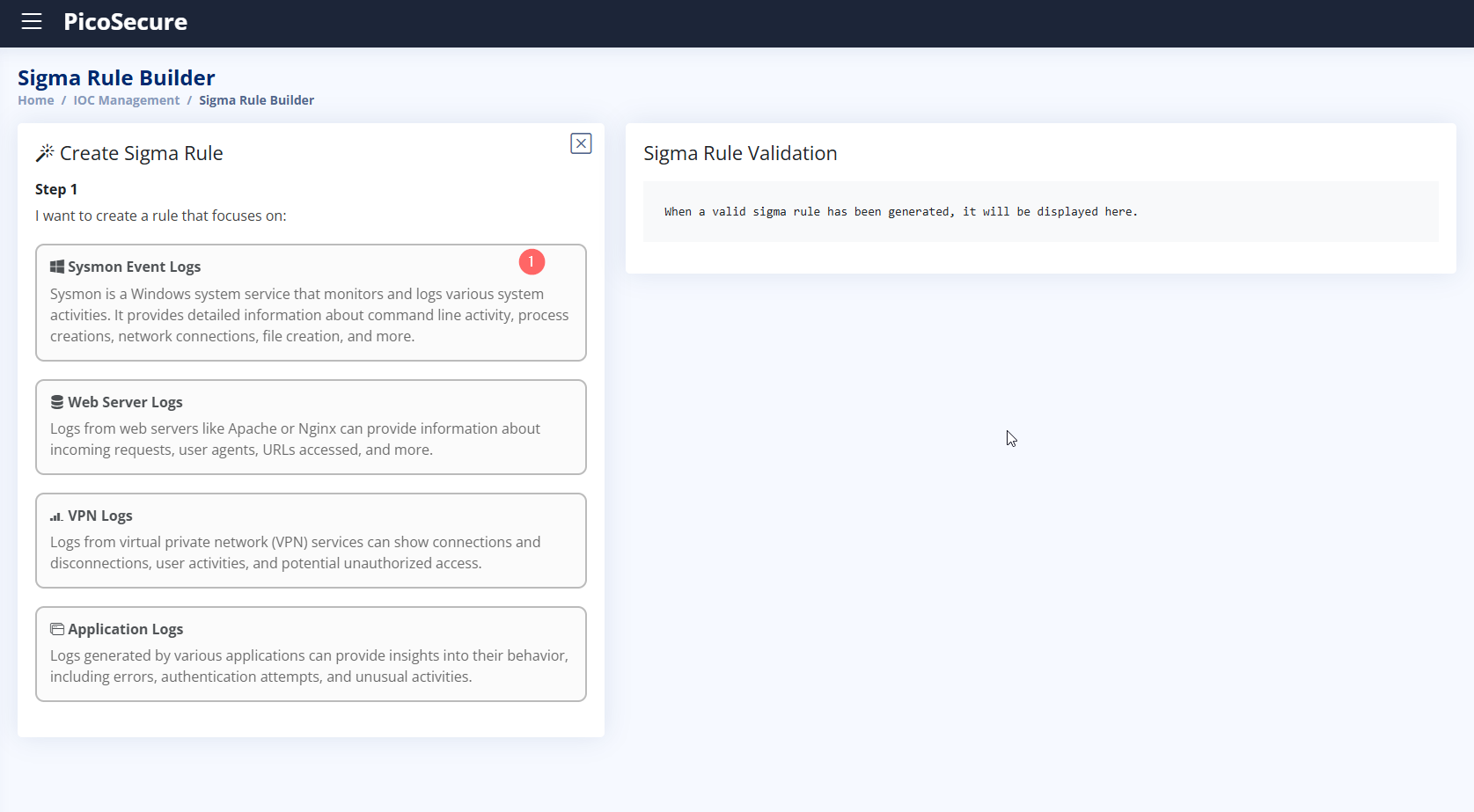
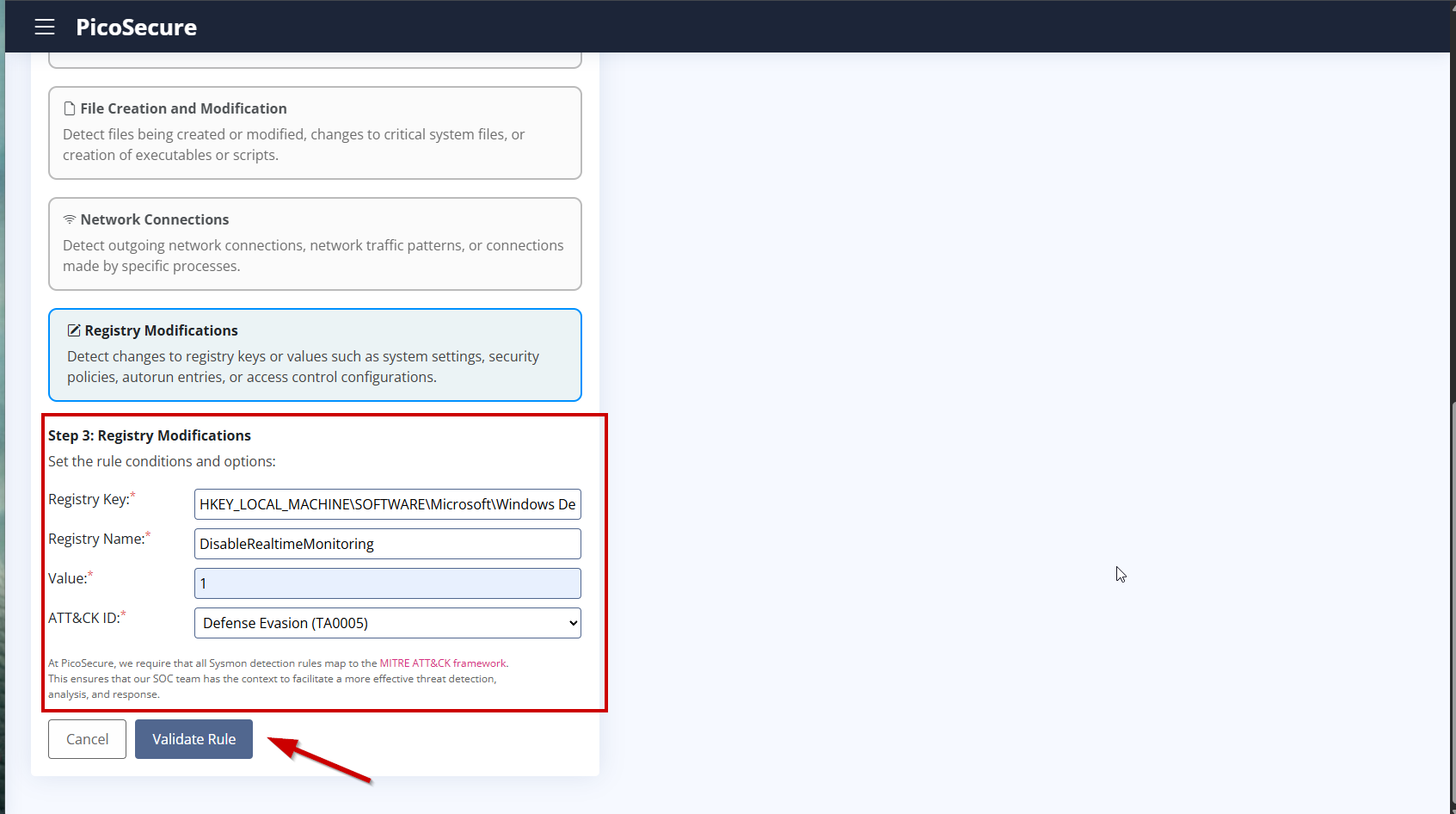
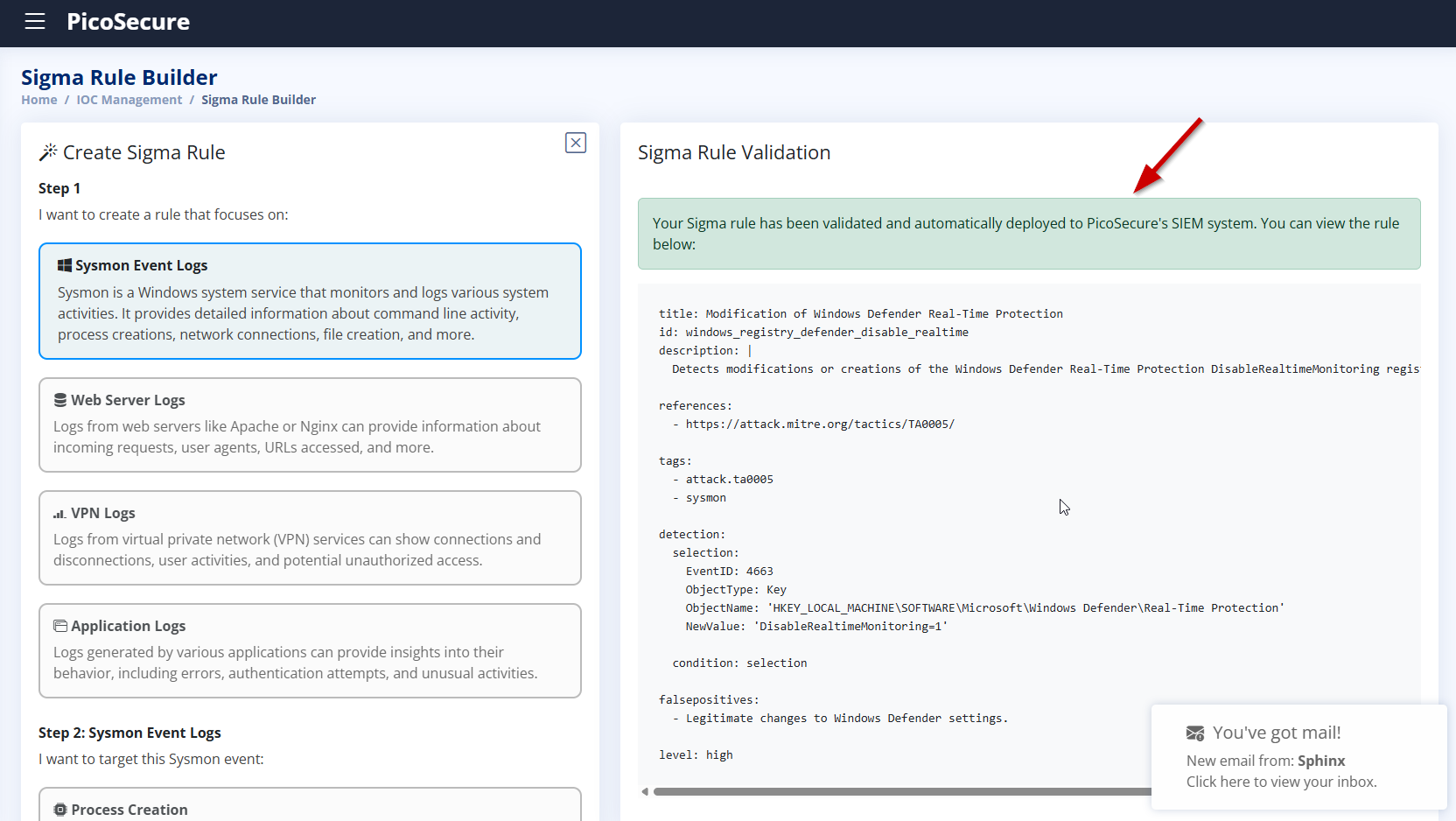
To detect Defender tampering, we created a Sigma rule using Sysmon registry logs.
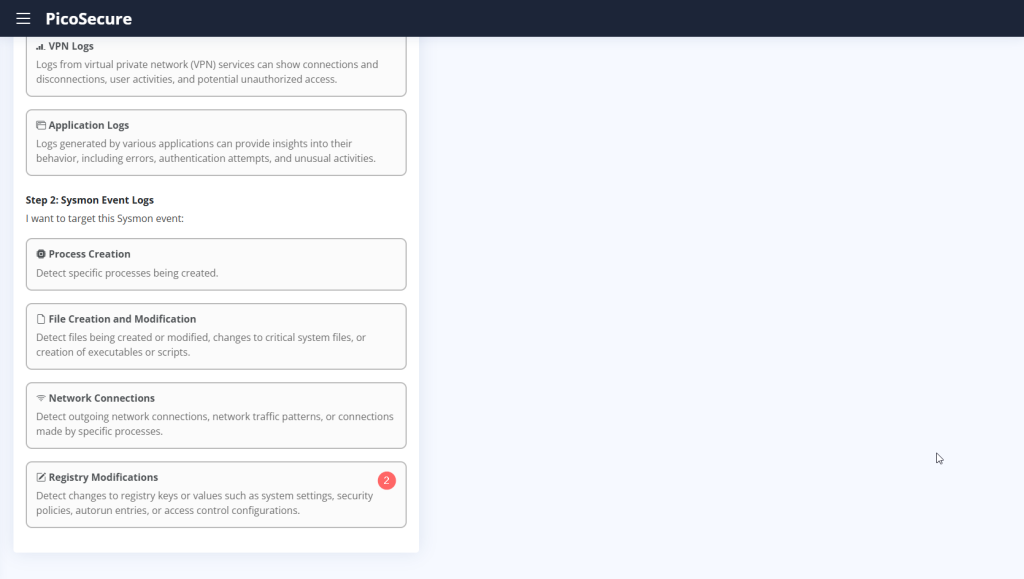
- Registry Key:
HKEY_LOCAL_MACHINE\SOFTWARE\Microsoft\Windows Defender\Real-Time Protection - Registry Name:
DisableRealtimeMonitoring - Value:
1 - MITRE ATT&CK Tactic:
Defense Evasion (TA0005)
5. What is the fifth flag you receive after successfully detecting sample5.exe?
- The sample downloads a file named
beacon.batfrom the attacker’s server. - It connects to suspicious IP addresses and uncommon ports (e.g., port 1382).
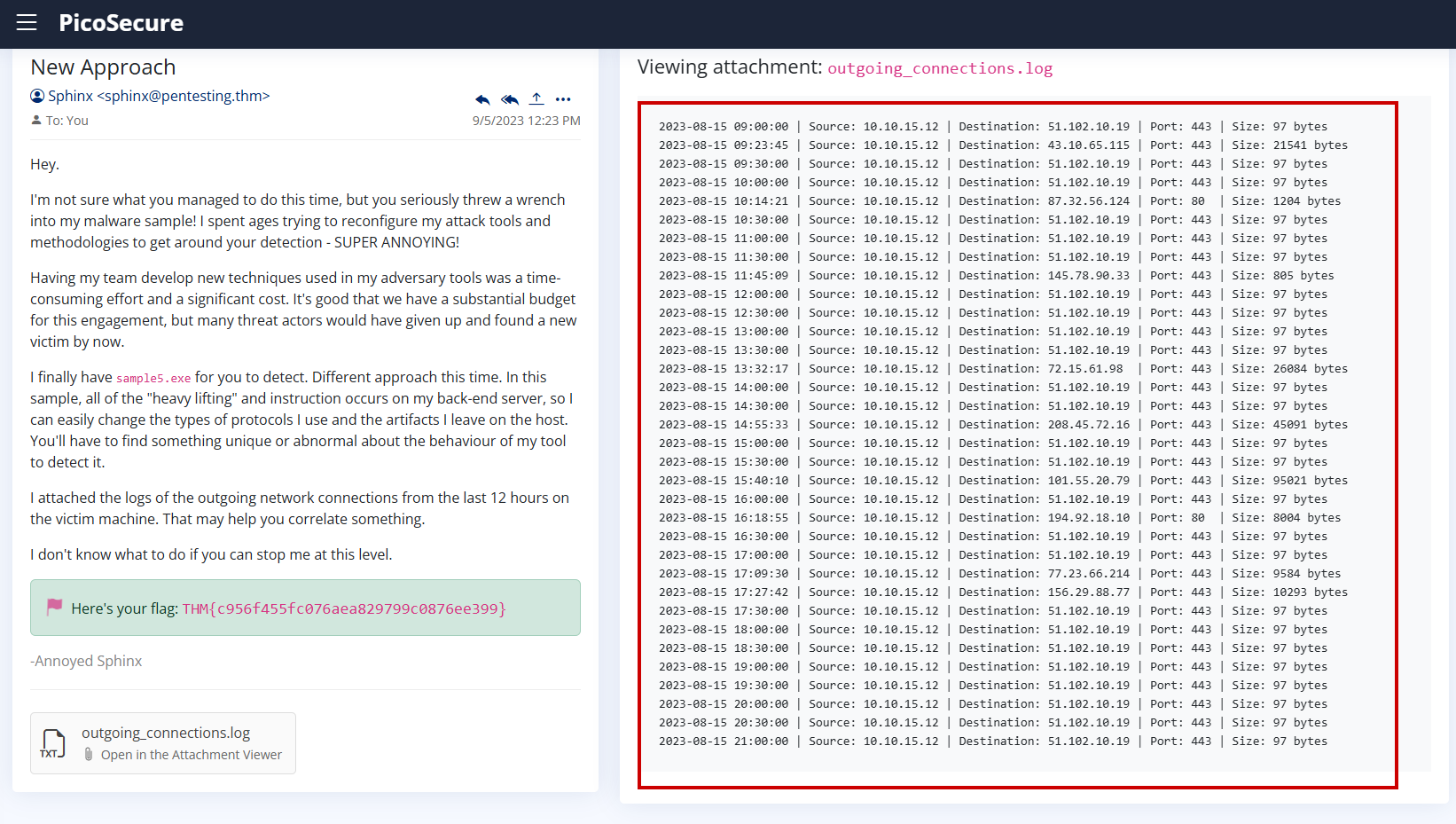
- It makes repeated network connections with the same size (97 bytes) and regular frequency (every 1800 seconds).
- This is characteristic of beaconing behavior commonly seen in command-and-control (C2) communications.
In previous samples, detection was based on static indicators such as:
- A specific remote IP address
- A known port number
However, the attacker has evolved in this sample:
- IPs and ports can change frequently
- The communication server (
bababa10la.cn) may rotate - The protocol and payloads can vary
What remained consistent was:
- The connection size: 97 bytes
- The frequency: every 1800 seconds (30 minutes)
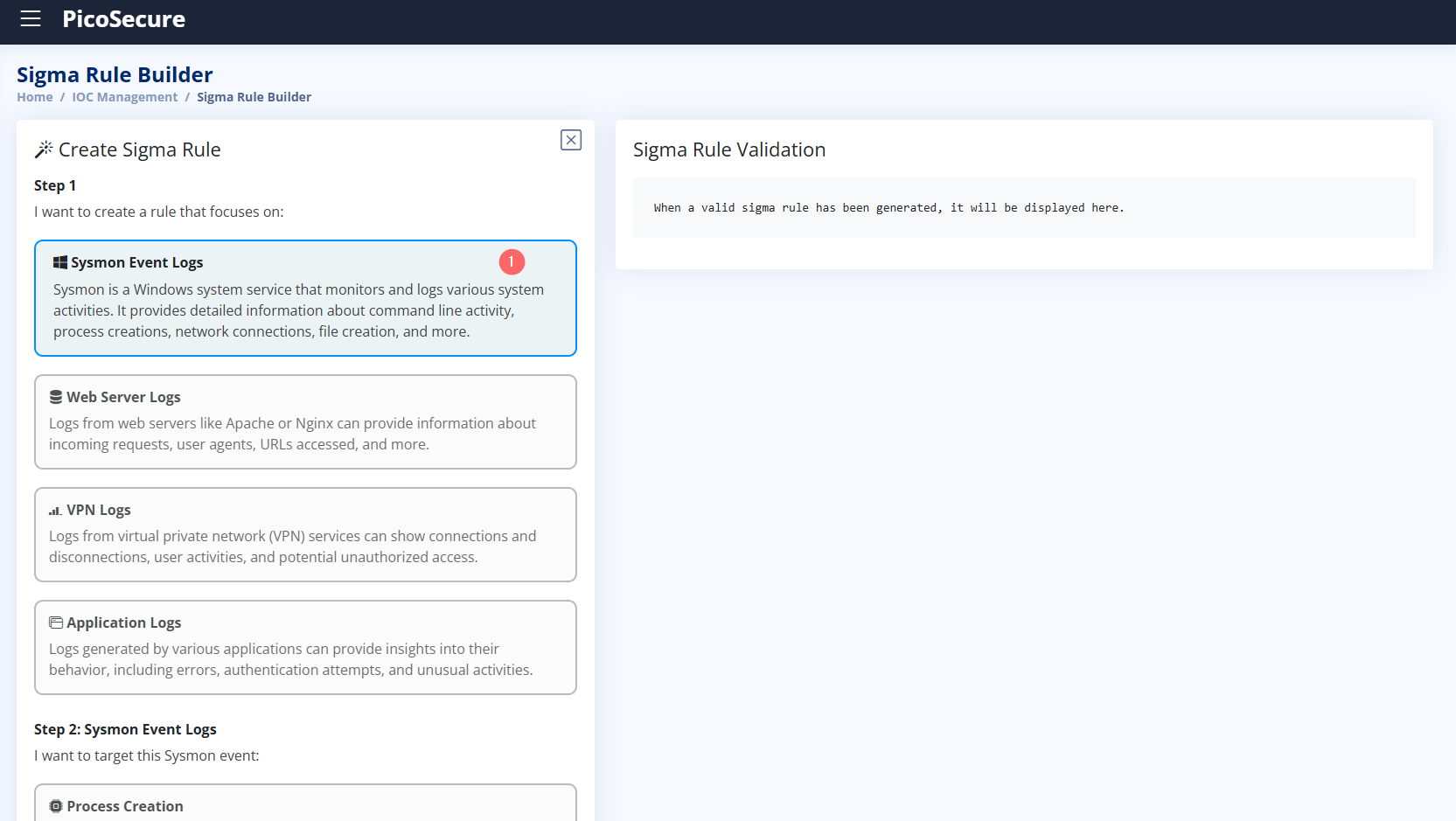
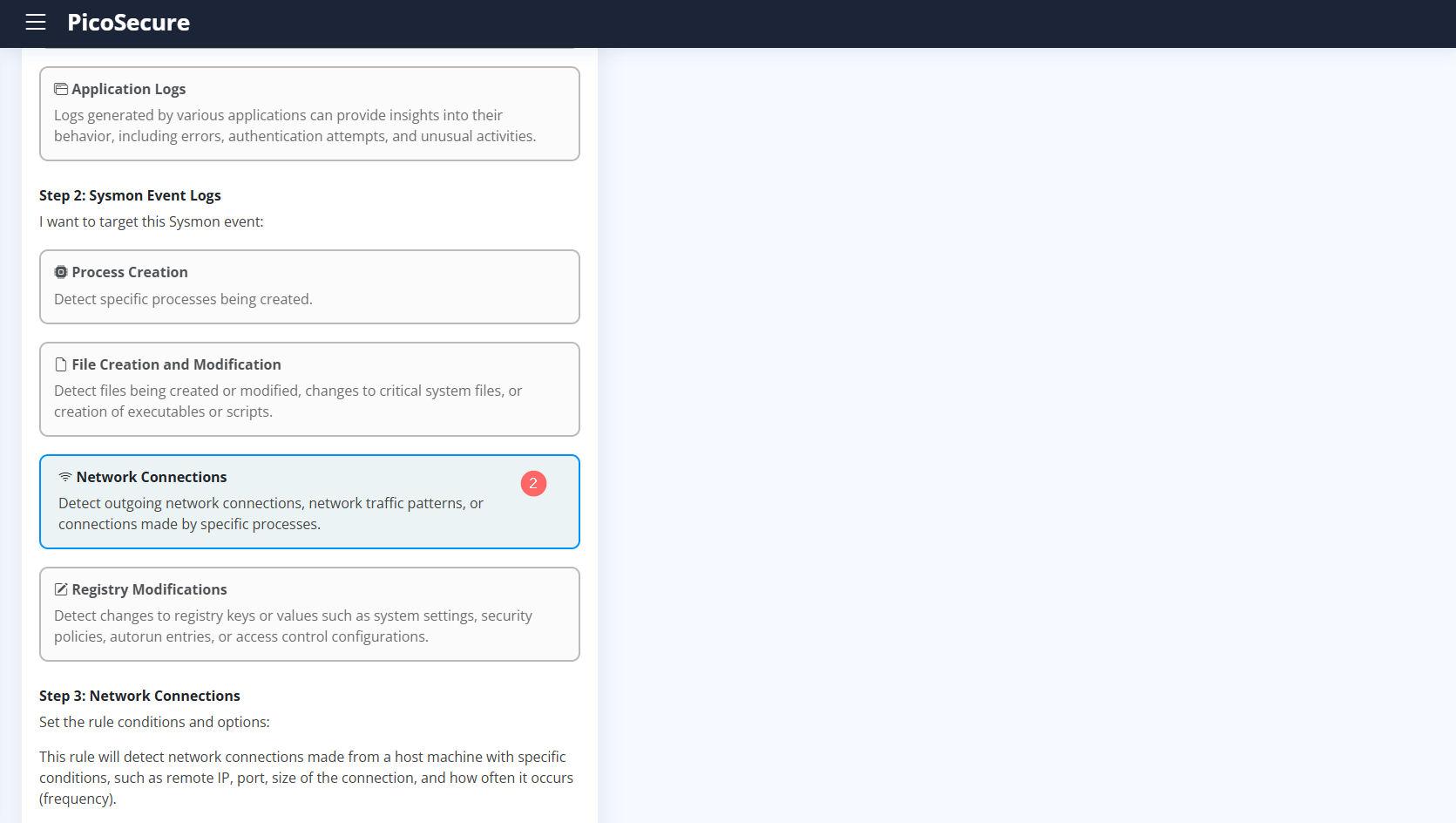
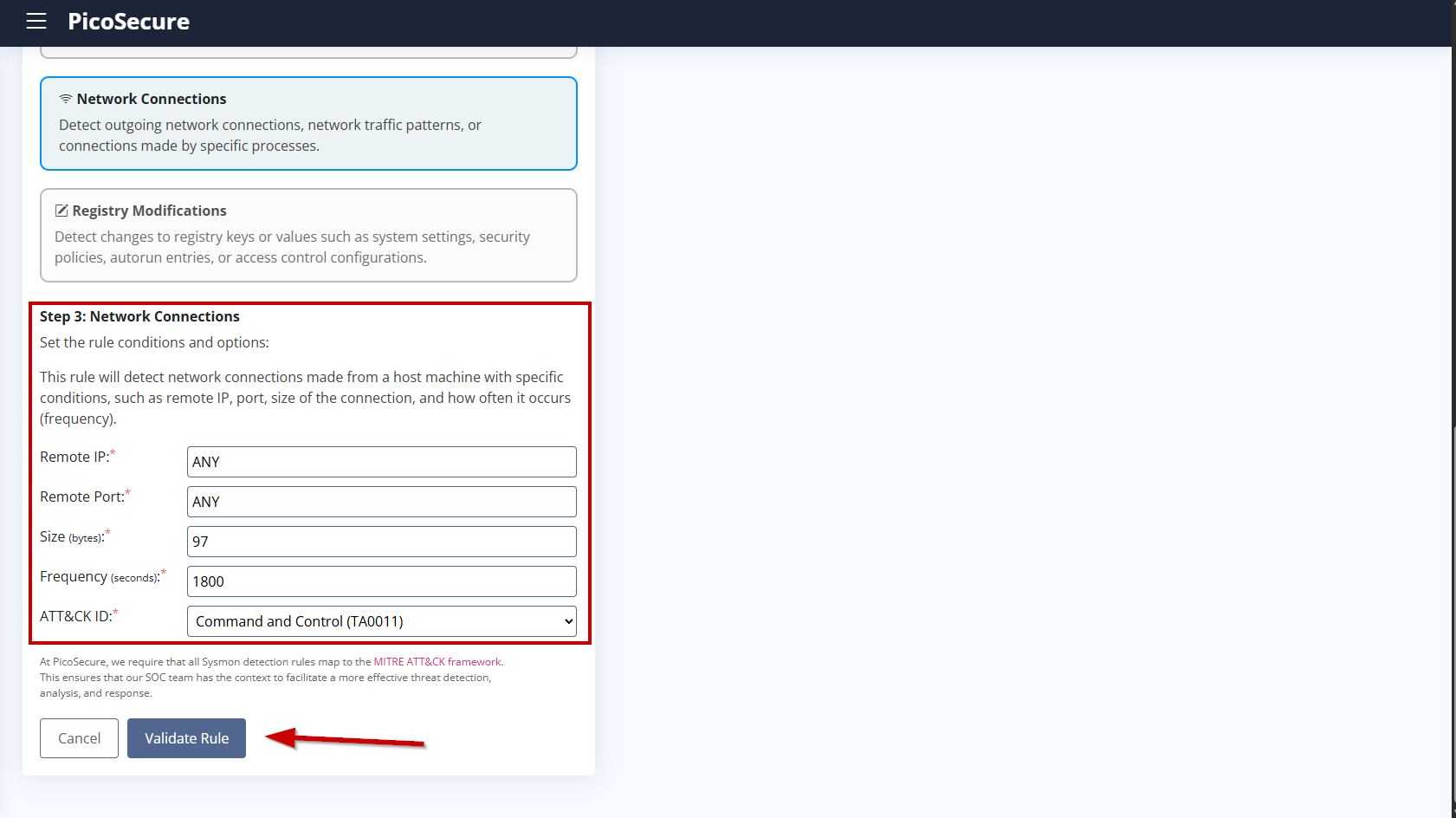
- Remote IP:
ANY - Remote Port:
ANY - Size (bytes):
97 - Frequency (seconds):
1800 - MITRE ATT&CK ID:
TA0011 – Command and Control
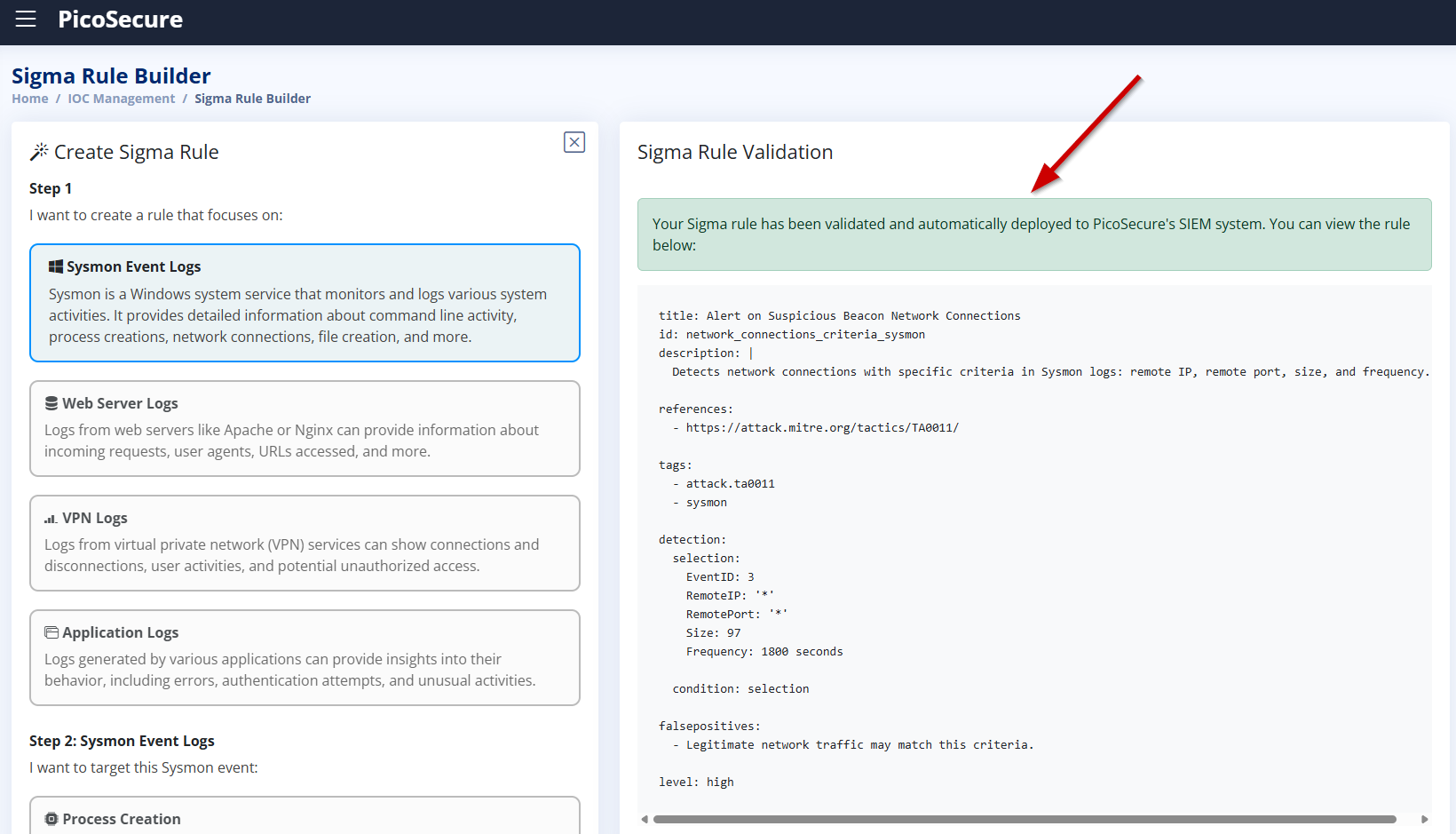
This rule focuses on detecting the attack behavior rather than hardcoded infrastructure. Even if the attacker changes IP addresses, domains, or ports, the pattern of communication can still be detected.
Using behavioral indicators makes detection resilient and ensures better coverage against future variants of the attack.
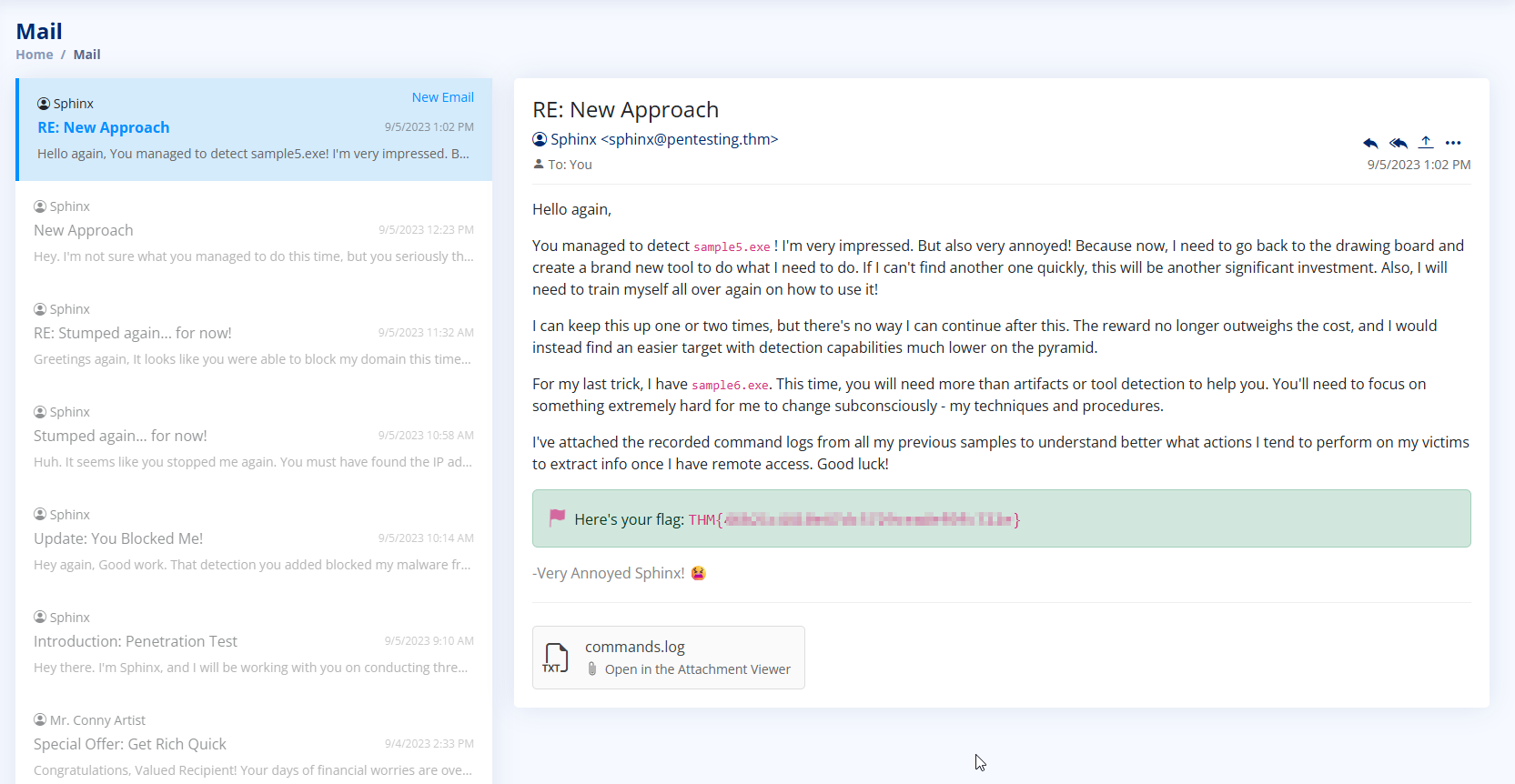
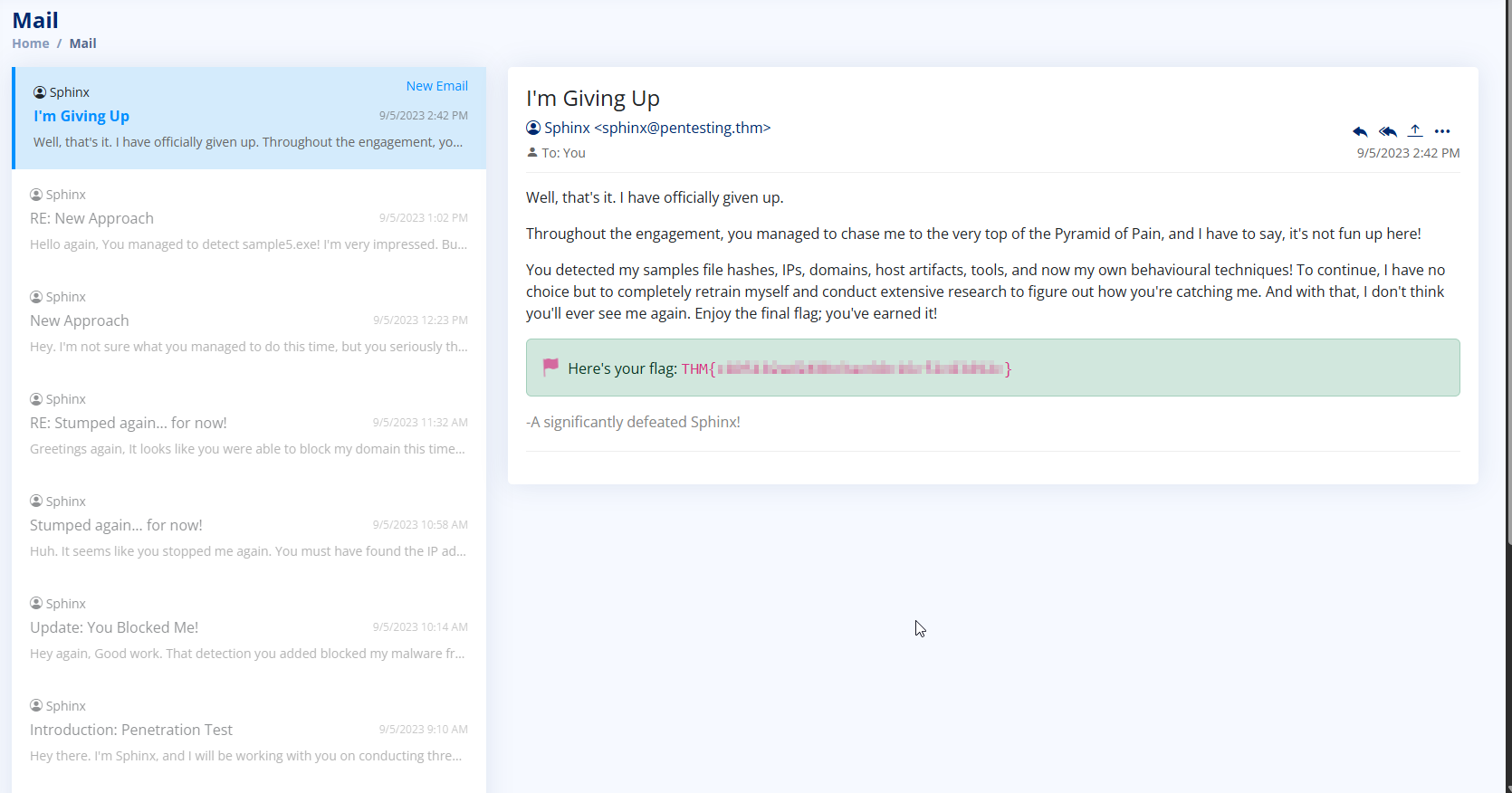
6. What is the final flag you receive from Sphinx?
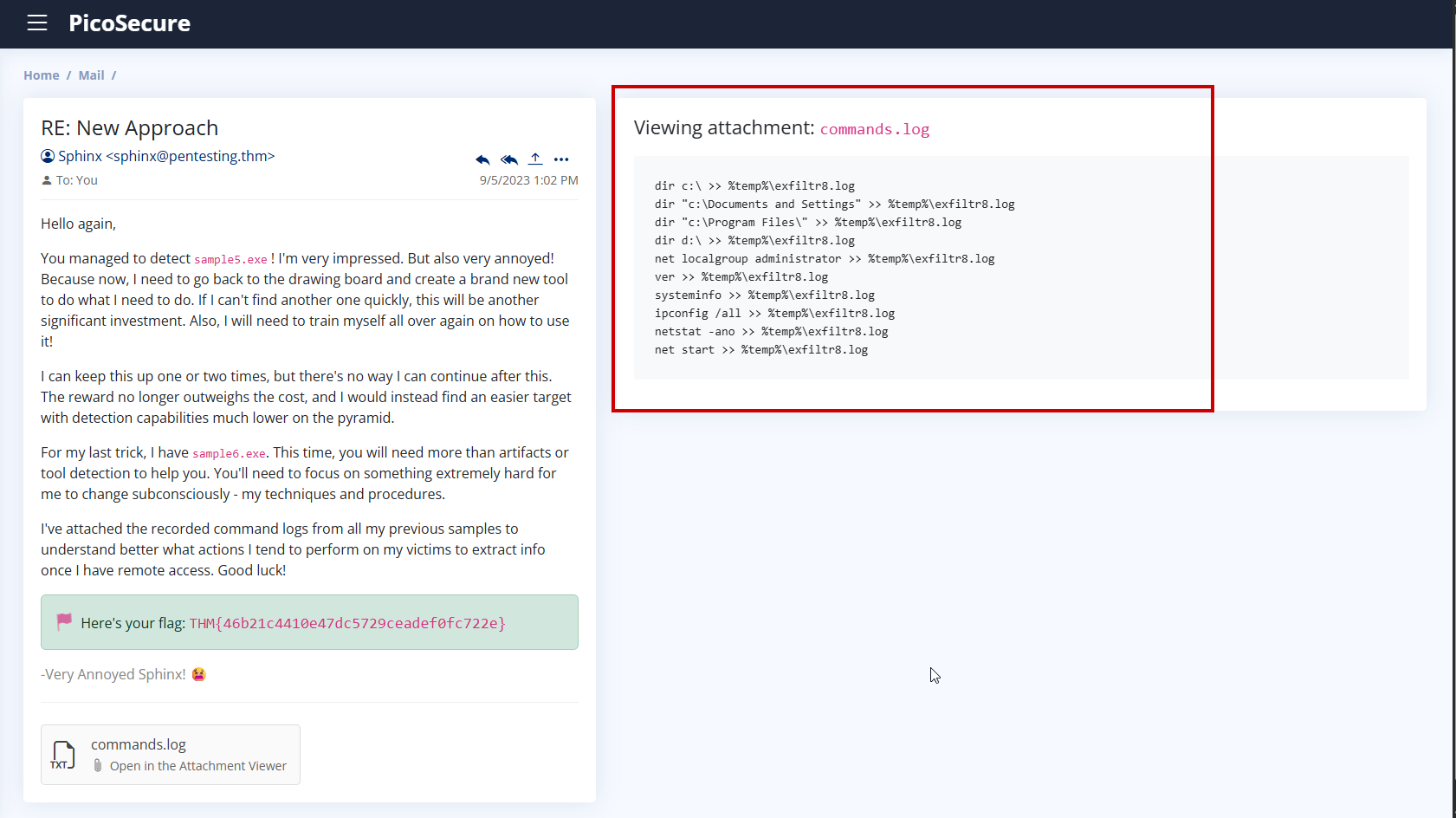
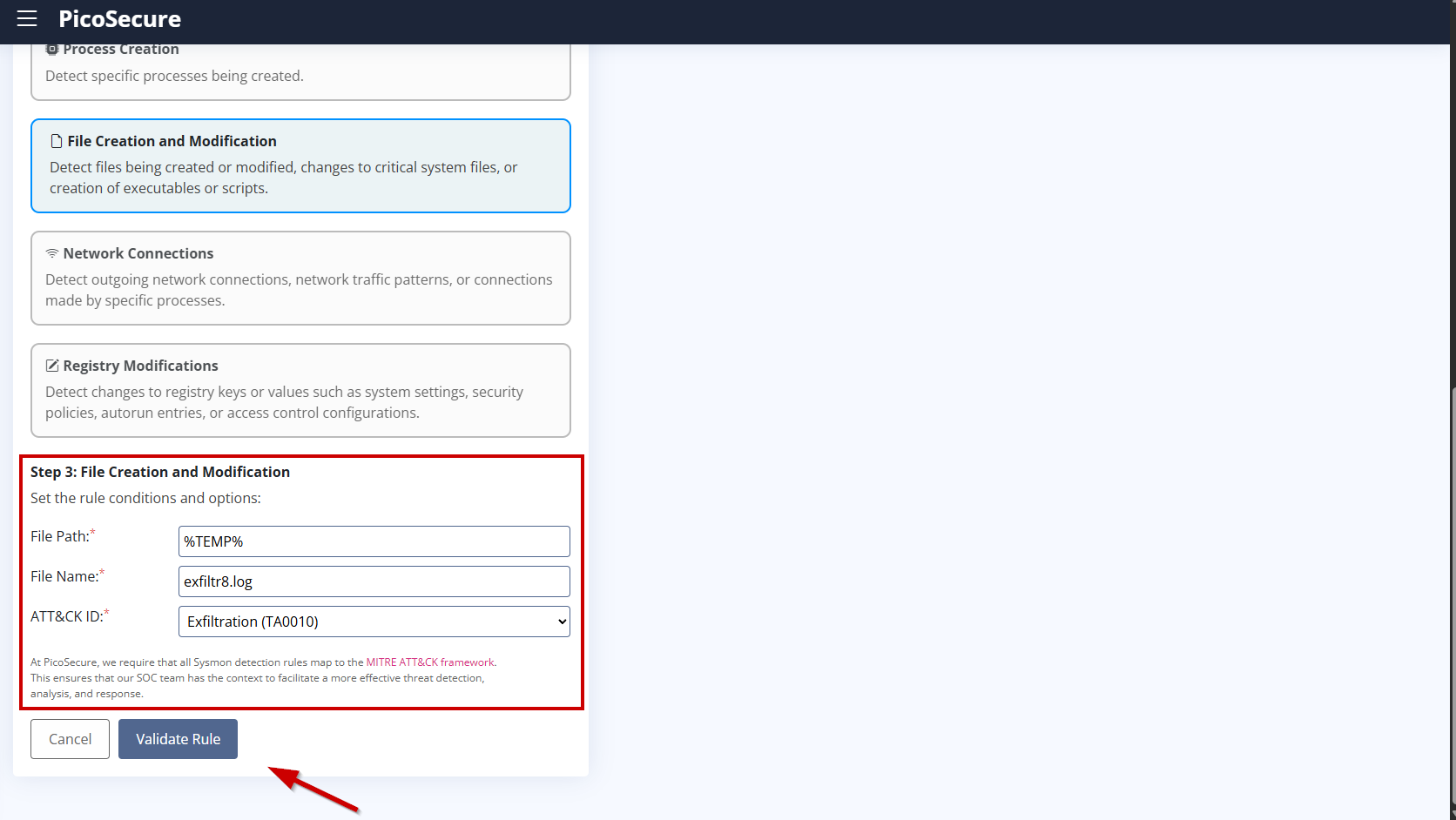
We chose to create a File Creation and Modification detection rule because the attacker’s final sample (sample6.exe) uses a consistent technique: it writes all gathered system information to a log file called exfiltr8.log in the %TEMP% directory.
Even if the malware changes its communication methods, IP addresses, or tools, this behavior remains the same — it stages the data in a local file before exfiltrating it. This is a tactic (MITRE ATT&CK: TA0010 – Exfiltration) that is much harder for attackers to change subconsciously.
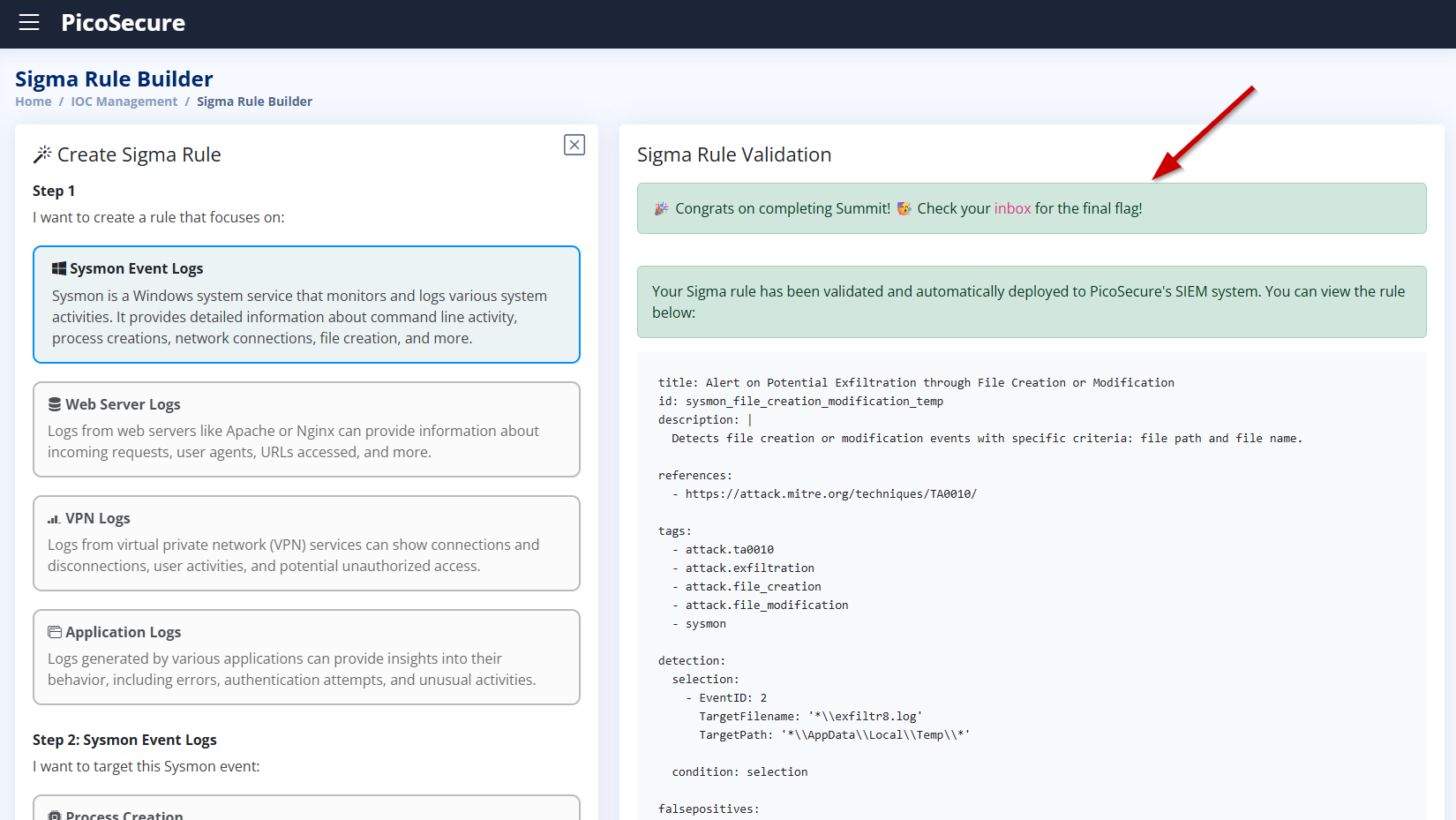
By monitoring the creation of the file exfiltr8.log in %TEMP%, we can reliably detect this malicious behavior, regardless of how the attacker evolves their tooling.
This method focuses not on what tool is used, but how it is used — allowing us to detect threats based on attacker techniques and procedures, not just artifacts.